
Welcome To Asta

Getting Started
Platform Capabilities
Content Management
User & Role Management
Project Management
Customization & Branding
Licensing & Legal
Run Multiple Campaigns
The Multiple Campaigns feature allows publishing and playing multiple campaigns simultaneously on one or more devices. Campaigns are played based on their priority, schedule, and zone durations. This document provides an explanation of priorities, scheduling, and campaign playback behavior.
Priorities: Campaigns can be assigned one of three priorities:
Priority Order: High > Normal > Low
To set the priority of a campaign:
- Go to Settings in the campaign.
- Select the desired Priority for the campaign.
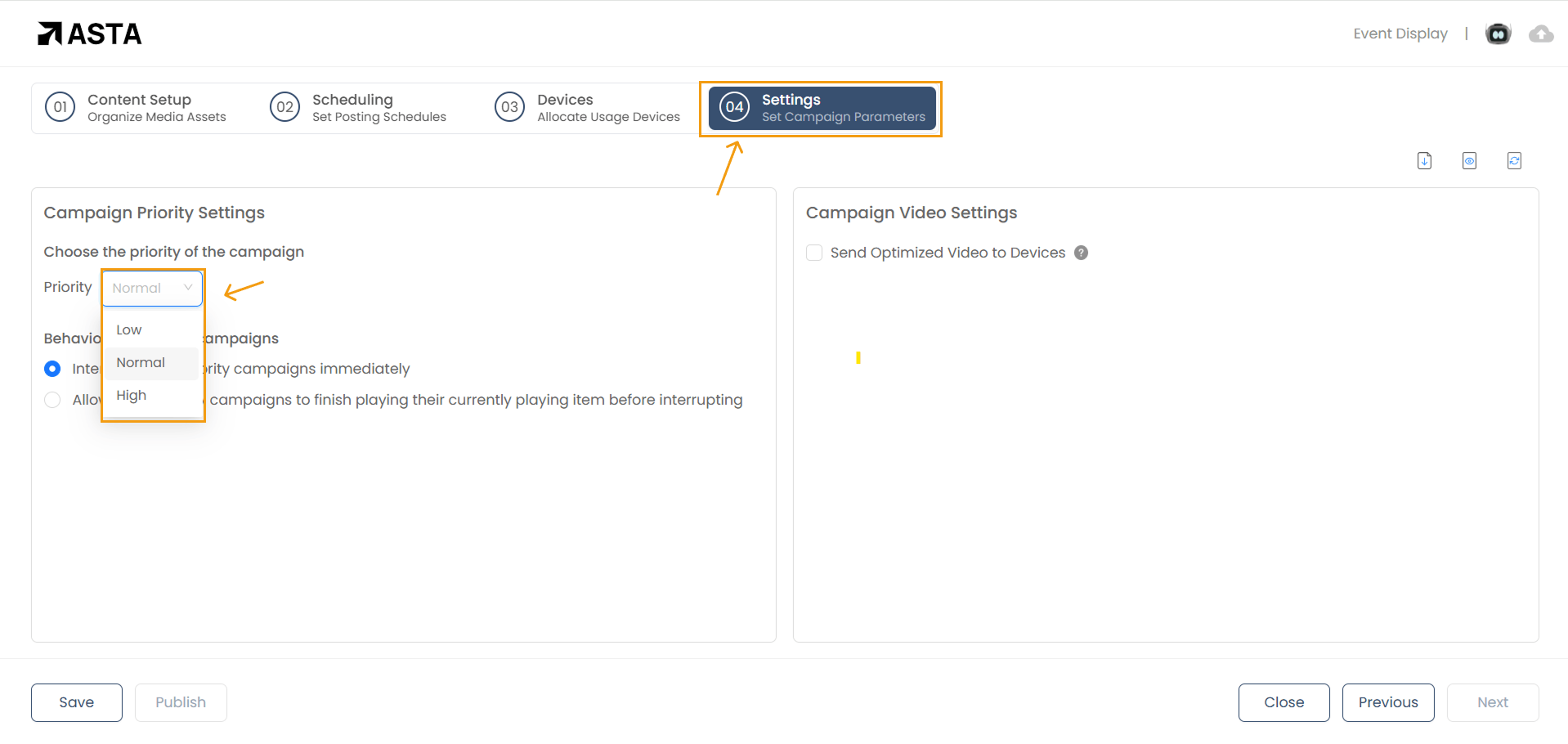
When multiple campaigns are published to a device, only the campaign(s) with the highest priority will play. Campaigns with lower priority will be downloaded to the device but will not play unless there are no higher-priority campaigns scheduled.
Behaviour with Other Campaigns
In the Campaign Settings, there is an option to configure how the campaign interacts with other campaigns:
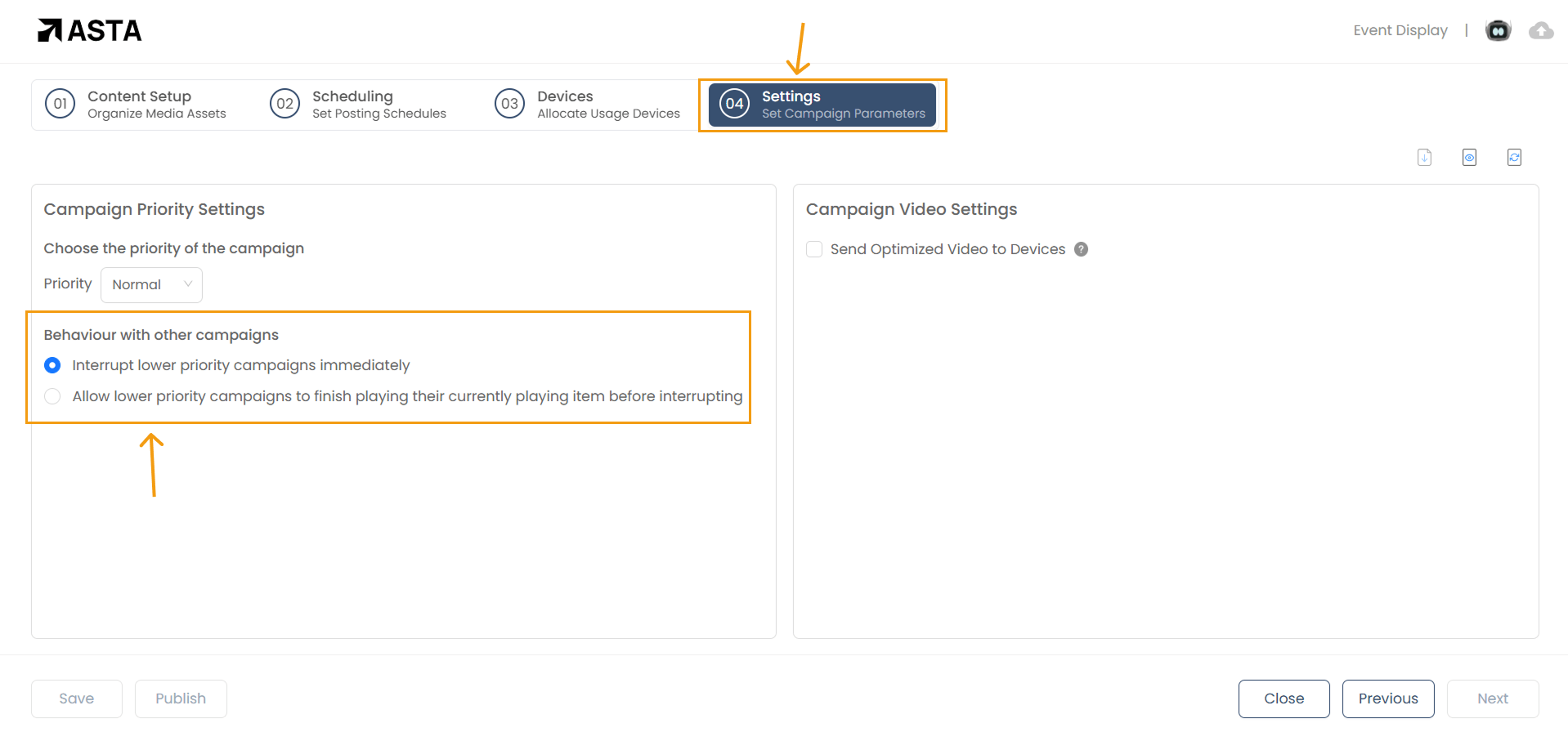
- Interrupt lower priority campaigns immediately.(Default behaviour of the campaign)
- Allow lower priority campaigns to finish playing their currently playing item before interrupting.
Monitoring Multiple Campaigns on Devices
To monitor whether a device is actively playing multiple campaigns and check its current status:
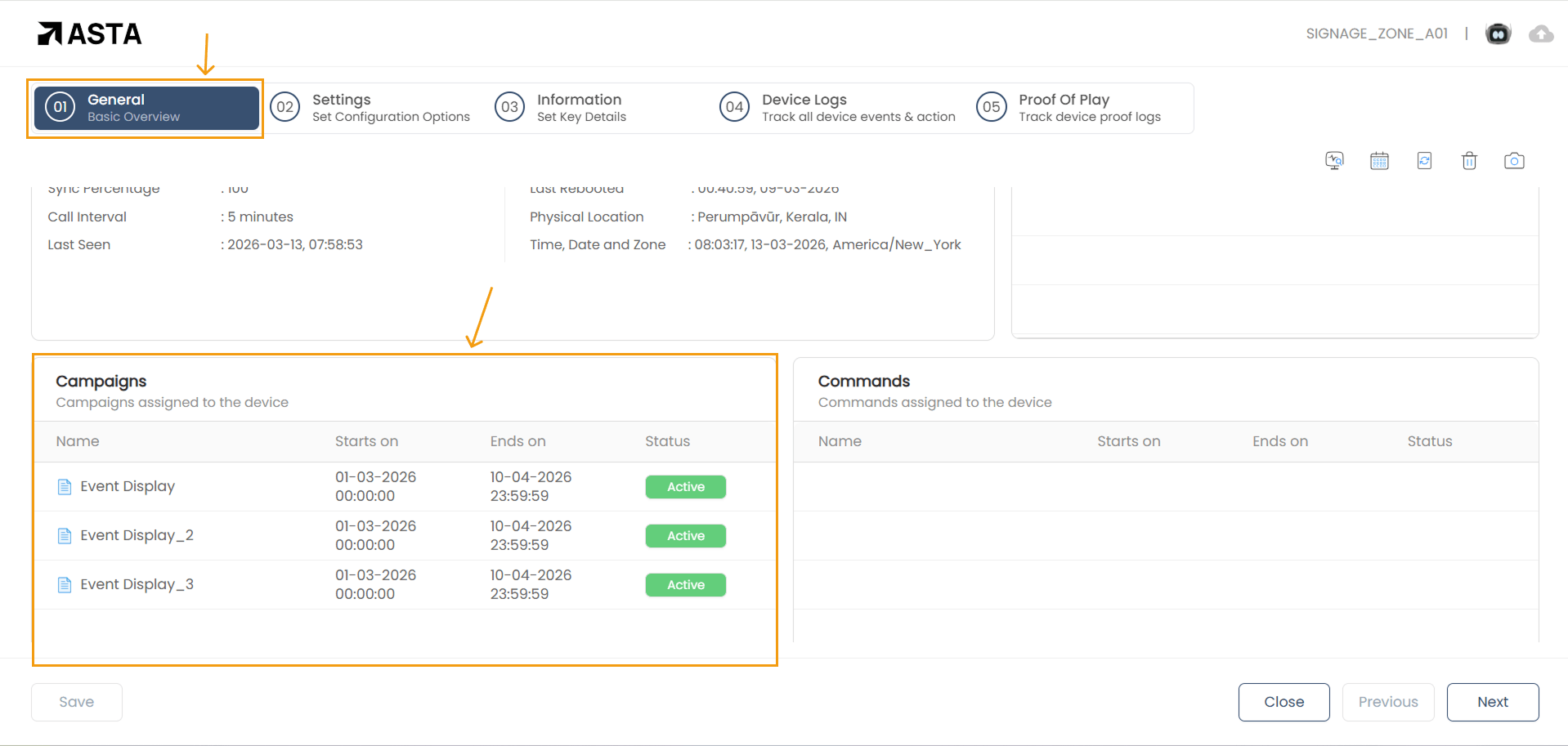
- Go to the General Overview section of the device.
- Scroll down to the Campaigns section, where you can view all campaigns assigned to the device.
In the Campaigns section, you can check the status of each campaign to confirm whether it is actively running or paused. Additionally, the device's status will show if it is currently active, ensuring it is functioning and displaying the campaigns as intended.
If a campaign is not active, check for any configuration issues or errors that might be preventing it from running. Similarly, if the device is inactive, verify its connection and system settings to troubleshoot the issue.
This allows for easy monitoring and management of multiple campaigns from a single interface.
1. Default Priority: If all campaigns have the same priority (e.g., Normal), they will play in a loop. Each campaign’s playback duration is determined by the longest zone duration in that campaign.
- Example: If a campaign has three zones with durations of 20 seconds, 30 seconds, and 1 minute, the campaign will play for 1 minute (the longest zone duration) before the next campaign starts.
2. High Priority: If at least one campaign has High priority, only the High-priority campaign(s) will play. Lower-priority campaigns will be downloaded but not played.
- Example : If there are two Normal campaigns, one low campaign and one High campaign published to a device, only the High-priority campaign will play.
3. Different Schedule Times: If a campaign is published with a future schedule (specific start and end times), it will be downloaded to the device but will not play until the scheduled time.
- Example: A campaign scheduled to start at 10:00 AM will remain in a "downloaded " state until 10:00 AM, after which it will play as per the priority rules.
- Three Normal-priority campaigns are published to a device.
- Each campaign plays in sequence, looping based on their longest zone durations.
- Example Zone Durations:
- Campaign 1: 1 minute
- Campaign 2: 30 seconds
- Campaign 3: 20 seconds
- Example Zone Durations:Playback Order: Campaign 1 (1 minute) > Campaign 2 (30 seconds) > Campaign 3 (20 seconds) > Repeat.
- Two Normal-priority campaigns and one High-priority campaign are published.
- Only the High-priority campaign plays. The Normal-priority campaigns are downloaded but do not play.
- One Normal-priority campaign and two Low-priority campaigns are published.
- Only the Normal-priority campaign plays. The Low-priority campaigns are downloaded but do not play.
- A campaign is published with a start time of 12:00 PM and end time of 2:00 PM.
- Before 12:00 PM: The campaign is downloaded to the device but does not play.
- At 12:00 PM: The campaign starts playing based on its priority and zone duration.
- After 2:00 PM: The campaign stops playing.
- Campaign playback is based on the priority order: High > Normal > Low.
- By default, campaigns are assigned Normal priority.
- The longest zone duration in a campaign determines how long it plays before the next campaign starts.
- Scheduled campaigns will play only during their specified time slots.
- Lower-priority campaigns are downloaded but will not play if higher-priority campaigns are active.
When multiple campaigns are running, ASTA automatically assigns a default playback duration based on the campaign content type:
- A campaign with Text only plays for 10 seconds by default.
- A campaign with Ticker only plays for 10 seconds by default.
- A campaign with Text and Ticker only plays for 10 seconds by default.
If a single campaign is running, it plays as per its scheduled time — no default duration is applied.
The Multiple Campaigns feature ensures efficient management of content playback across devices, prioritizing campaigns to match your scheduling and business needs. By leveraging priorities and schedules effectively, you can create dynamic and tailored digital signage experiences.